Check if end of support for Microsoft services affects your system setup
Validate Your Sun Accounts Version
SunSystems: Support Status and Upgrade Options
SunSystems has been the backbone of accounting for many organisations for decades. Recent changes in the underlying Microsoft infrastructure may affect he version of SunSystems currently in use.
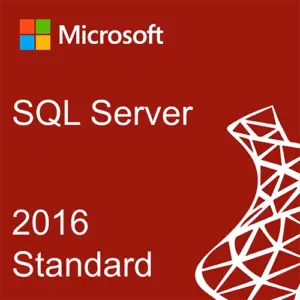
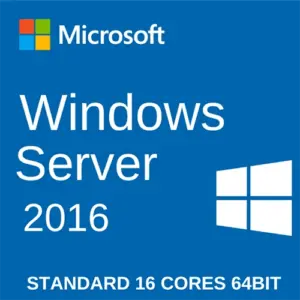
Microsoft ends extended support for two of their older products: SQL Server 2016 passed the end of support on 14 July 2026, and Windows Server 2016 follows on 12 January 2027.
SunSystems installed over these products will continue running as before, no matter the changes. However, end of support for Microsoft services may affect how your system operates in the long term.
2025
Active Support
2026
Support Ends
2027+
Cloud Standard
Verify Your SunSystems Version
| SunSystems Version |
Maintenance Tier |
Windows OS | SQL Server | Client OS |
|---|---|---|---|---|
| 6.1 | Sustaining | 2008 > 2012 R2 | 2008 > 2012 R2 | Windows 7 > 8.1 |
| 6.2 | Sustaining | 2008 R2 > 2016 | 2008 R2 > 2016 | Windows 7 > 10 |
| 6.3 | Sustaining | 2012 > 2019 | 2014 > 2017 | Windows 7 > 10 |
| 6.4 | Mainstream | 2012 R2 > 2025 | 2016 > 2022 | Windows 7 > 11 |
| Query and Analysis |
Maintenance Tier |
Windows OS | SQL Server | Microsoft Office |
|---|---|---|---|---|
| 11.3 | Mainstream | 2012 > 2022 | 2016 > 2022 | 2013 > 365 |
Mainstream maintenance is the most robust and complete level of maintenance available that provides continuous product updates, fixes, and localizations.
Sustaining maintenance is provided for a separate fee after the expiration of previous maintenance tiers and includes access to pre-existing fixes only.
If you are running a SunSystems version below version 6 or Q&A 11.3, contact us to verify your infrastructure compatibility.
What Happens with SunSystems After End of Support Date

Nothing breaks on the date
It continues running as it was and you can and you can keep using it well past that date.

No security
patches
Microsoft no longer issues security patches for the servers, including for critical vulnerabilities.

No vendor
support
Microsoft support is no longer available for the server versions.

Compliance
issue
Your system might be flagged in an audit against ISO 27001, SOC 2, and PCI DSS security requirements.

Narrowing integration options
Software vendors stop supporting old database versions, so your integration options shrink over time.
What You Can Do
| Route | What it is | Who it suits | What benefits it brings | What challenges it brings |
|---|---|---|---|---|
| Extended Security Updates | Buy time on the existing Microsoft platform | Organisations mid-way through another project | Security patches keep coming, with no disruption for finance users | The need to decide in the future |
| Upgrade in Place | Stay on-premises, move to a supported version |
Organisations with a reason to keep the system in-house | A supported version of SunSystems, with your data, customisations, and infrastructure staying where they are | Compatibility issue with the infrastructure |
| SunSystems Cloud | Migrate to the cloud environment | Most organisations facing this decision | Patching, hosting, and security assurance stop being your responsibility | Complete system migration to a new cloud solution |

On-premises = dual upgrade required
Before You Plan a Microsoft Upgrade
While the easiest solution would seem to adopt the latest SQL and Windows Server version, it may not be compatible with older Sun accounting software. Your SunSystems version must be certified against the Microsoft infrastructure you move to.
Remaining on-premises most likely means you must upgrade both your on-premises Sun Accounts and the underlying database.
How We Can Help
Our team has over 25 years of experience with Sun Accounts with 200+ successful SunSystems implementation.
We can help ensure your Sun accounting software works as intended:

Verify Your Version
Book a short call with our experts and we will confirm what version you're using and if there is a need to act.

Support In-Place Upgrade
Move your on-premises SunSystems accounting to a new version compatible with the supported database.

Migrate to the Cloud
Complete a Sun Accounts cloud upgrade in no more than 90 days, as proven by our project for Life & Peace Institution.

“Moving to SunSystems Cloud simplified our day-to-day more than we expected – having SUN in the browser and Q&A right in Excel cut out a step we didn’t realise was slowing us down. The project itself ran smoothly thanks to clear communication from the FinanSys team, and it’s built on years of support we’ve come to rely on.”
– Paul Gustafsson, Audit & Compliance Manager, Life & Peace Institute
FAQ
Yes. Sun Accounts was the original name. The product is now Infor SunSystems. The name changed; the product line continued.
It depends on your version, and on which part you mean — the SunSystems application, or the Microsoft software underneath it. The table above covers both.
If you are not sure what version you use, tell us what you know and we will confirm it.
No. Extended Security Updates and an in-place upgrade are both real options. Which one fits depends on your version and your plans.
A SunSystems Cloud upgrade usually takes up to 90 days, depending on the scale of the migration.
Confirm My Version
Ask our SunSystems consultants and they will validate the state of your setup.